How Digital Tools Can Improve Workplace Safety Management
Digital tools can improve workplace safety management by supporting hazard reporting, inspections, corrective action tracking, training records, safety dashboards, and follow-up systems.
On This Page
- 01. Why safety information becomes difficult to manage
- 02. Why digital tools matter in safety management
- 03. Hazard reporting with digital tools
- 04. Digital inspection checklists
- 05. Corrective action tracking
- 06. Training records and safety documentation
- 07. Using dashboards to understand safety performance
- 08. Digital tools and workplace communication
- 09. Why digital tools do not replace real safety work
- 10. Practical digital tools businesses can start with
- 11. Common mistakes when digitizing safety systems
- 12. How to build a simple digital safety workflow
- 13. Key takeaway
- 14. References and further reading
Workplace safety depends on action.
But action becomes difficult when information is scattered, records are missing, hazards are forgotten, and follow-up is unclear.
Many workplaces still manage safety using paper forms, notebooks, WhatsApp messages, emails, printed reports, and verbal reminders. These methods may work for a small task, but they become unreliable when many hazards, inspections, training records, and corrective actions need to be tracked at the same time.
Digital tools can help solve this problem.
They can make workplace safety information easier to record, organize, review, and act on.
However, digital tools should not be seen as a replacement for safety practice. A dashboard does not remove hazards. A checklist does not prevent accidents by itself. A form does not make a workplace compliant unless the information collected leads to action.
The real value of digital tools is that they support better safety management.
They help workplaces move from scattered information to organized action.
01. Why Safety Information Becomes Difficult to Manage
Workplace safety involves many moving parts.
A business may need to manage:
- Hazard reports
- Risk assessments
- Workplace inspections
- Corrective actions
- Incident reports
- Near-miss reports
- Training records
- Fire safety checks
- PPE records
- First aid records
- Emergency preparedness documents
- Contractor safety documents
- Audit reports
- Legal compliance records
When this information is handled manually, it can become scattered very quickly.
One hazard may be reported verbally. Another may be written in a notebook. An inspection checklist may be filed in a folder. A corrective action may be sent through WhatsApp. A training record may be stored in a spreadsheet. An incident photo may remain on someone's phone.
This makes follow-up difficult.
A workplace may know that hazards exist, but still fail to act on them because there is no clear system showing what is open, what is pending, who is responsible, and what has been completed.
This is one reason digital tools are becoming useful in workplace safety management.
They help bring scattered information into one organized workflow.
02. Why Digital Tools Matter in Safety Management
Digital tools matter because safety management depends on timely information and consistent follow-up.
OSHA's Recommended Practices for Safety and Health Programs are built around core elements that include hazard identification and assessment, hazard prevention and control, education and training, and program evaluation and improvement.
These elements all depend on information. A workplace needs to know:
- What hazards exist
- Where hazards are found
- Which risks are serious
- What controls have been implemented
- Whether controls are working
- Which workers have been trained
- Which corrective actions are still open
- Whether the safety program is improving
Digital tools can support this by making information more visible and easier to manage.
For example, instead of searching through paper files to find an inspection report, a safety officer can open a digital record and see the finding, photo, responsible person, deadline, and action status.
Instead of relying on memory to follow up on a hazard, a digital tracker can show what is overdue.
Instead of guessing whether the same issue keeps repeating, a dashboard can show patterns over time.
Digital tools help turn safety information into safety action.
Bringing hazard reports, inspections and corrective actions into one place is exactly the problem behind digital reporting systems like the Digital Inspection & Audit System.
03. Hazard Reporting With Digital Tools
Hazard reporting is one of the most practical areas where digital tools can help.
A hazard reported early can prevent an accident.
But workers may fail to report hazards when the reporting process is slow, unclear, or inconvenient.
A digital hazard reporting system can make reporting easier by allowing workers, supervisors, or safety personnel to record hazards using a phone, tablet, or computer.
A simple hazard report can capture:
- Date and time
- Location
- Hazard type
- Description
- Risk level
- Photo evidence
- Person reporting
- Department involved
- Immediate action taken
- Recommended corrective action
- Person responsible
- Follow-up status
This helps workplaces respond faster.
For example, if a worker notices a damaged cable, they can report it immediately with a photo and location. The report can then be assigned to maintenance, tracked, and closed once corrected.
OSHA notes that hazard identification and assessment should include collecting and reviewing information about workplace hazards, inspecting the workplace, investigating incidents, and determining severity and likelihood so corrective actions can be prioritized.
Digital hazard reporting supports this process by making hazard information easier to collect and review.
It also helps create a reporting culture.
When workers see that reported hazards are acted on, they are more likely to keep reporting.
04. Digital Inspection Checklists
Workplace inspections are important, but they can become inconsistent if every person inspects differently.
One person may focus on housekeeping. Another may focus on PPE. Another may forget fire equipment, emergency exits, electrical panels, or storage areas.
Digital inspection checklists help create consistency.
A checklist can guide the inspector through important areas such as:
- Housekeeping
- Walkways
- Fire extinguishers
- Emergency exits
- Electrical safety
- PPE compliance
- Machine guarding
- Chemical storage
- First aid facilities
- Waste management
- Safety signage
- Lighting and ventilation
- Work at height controls
- Contractor safety
- Documentation
Digital checklists can also include rating options, comments, photo attachments, automatic timestamps, and follow-up actions.
This makes inspection records more useful.
Instead of a paper checklist that only says “satisfactory” or “unsatisfactory,” a digital checklist can show exactly what was found, where it was found, and what should be done next.
It also makes previous inspections easier to compare.
If the same issue keeps appearing in the same area, that may show a deeper system problem.
For example, repeated poor housekeeping may mean storage space is inadequate, responsibilities are unclear, supervision is weak, or workers have not been trained properly.
A digital checklist helps reveal such patterns.
05. Corrective Action Tracking
Corrective action tracking is one of the strongest reasons to use digital tools in workplace safety.
Finding a hazard is only the first step.
The workplace must correct it.
A corrective action tracker helps answer:
- What issue was identified?
- What action is required?
- Who is responsible?
- What is the deadline?
- What is the status?
- Was the action verified?
- Has evidence been attached?
- Has the risk been reduced?
- Is the issue recurring?
Without tracking, corrective actions can easily be forgotten.
A safety report may recommend an action, but if there is no reminder, no assigned owner, and no closure evidence, the same risk can remain in the workplace.
OSHA's hazard prevention and control guidance recommends implementing controls through a hazard control plan, tracking progress, and verifying that controls are effective.
Digital trackers make this easier.
A simple corrective action tracker can show open actions, overdue actions, closed actions, recurring hazards, and departments with repeated issues.
This improves accountability.
It also helps management understand whether safety findings are actually being corrected.
A workplace should not measure safety only by how many inspections are done.
It should also measure how many findings are closed and whether risks are reduced.
06. Training Records and Safety Documentation
Training is an important part of safety management.
Workers need to understand hazards, procedures, PPE use, emergency response, reporting systems, and safe work practices.
However, training is difficult to manage when records are poorly organized.
A workplace may struggle to answer questions such as:
- Who has been trained?
- When was the training done?
- What topic was covered?
- Who conducted the training?
- Which workers missed training?
- When is refresher training needed?
- Are contractors included?
- Is induction training documented?
- Are certificates stored safely?
Digital tools can help organize training records.
A simple training register can capture worker names, department, training topic, date, trainer, attendance, certificate status, and refresher due date.
OSHA's education and training guidance explains that training helps workers and managers understand safety and health programs, recognize hazards, and understand methods for controlling them, including the hierarchy of controls.
Digital records support this by making training history easier to review.
They also help workplaces prepare for audits, inspections, and internal reviews.
Safety documentation can also be organized digitally. This may include:
- Safety policies
- Risk assessments
- Inspection reports
- Incident reports
- Emergency procedures
- Toolbox talk records
- Fire drill records
- PPE issue records
- Equipment servicing records
- First aid records
- Contractor documents
Good documentation helps workplaces stay organized and prepared.
But documentation should not become a burden.
The best digital systems are simple, easy to update, and easy to retrieve when needed.
07. Using Dashboards to Understand Safety Performance
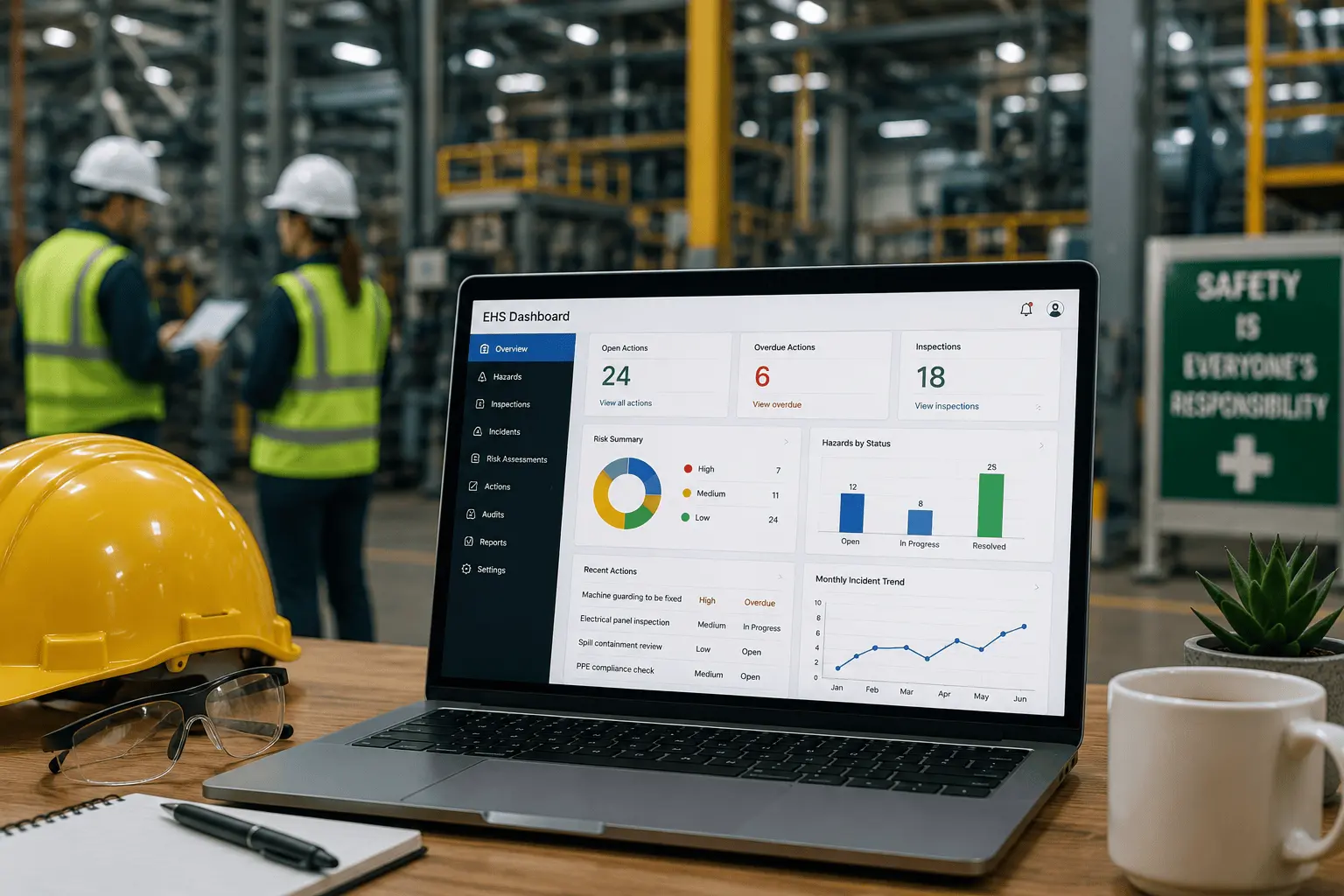
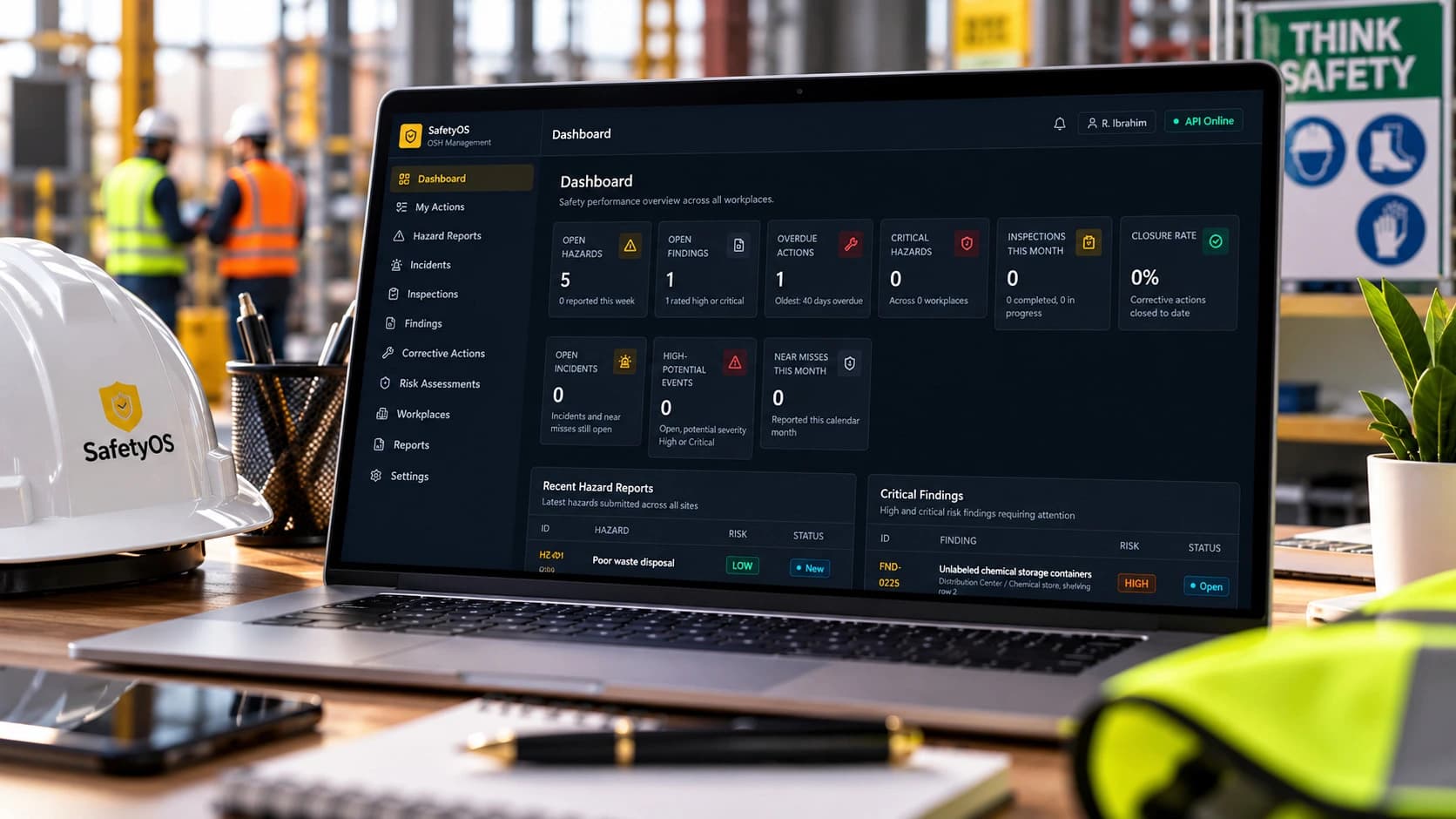
Dashboards can help turn safety records into useful insights.
A dashboard is useful because it presents information visually.
Instead of reading many reports, management can quickly see what is happening.
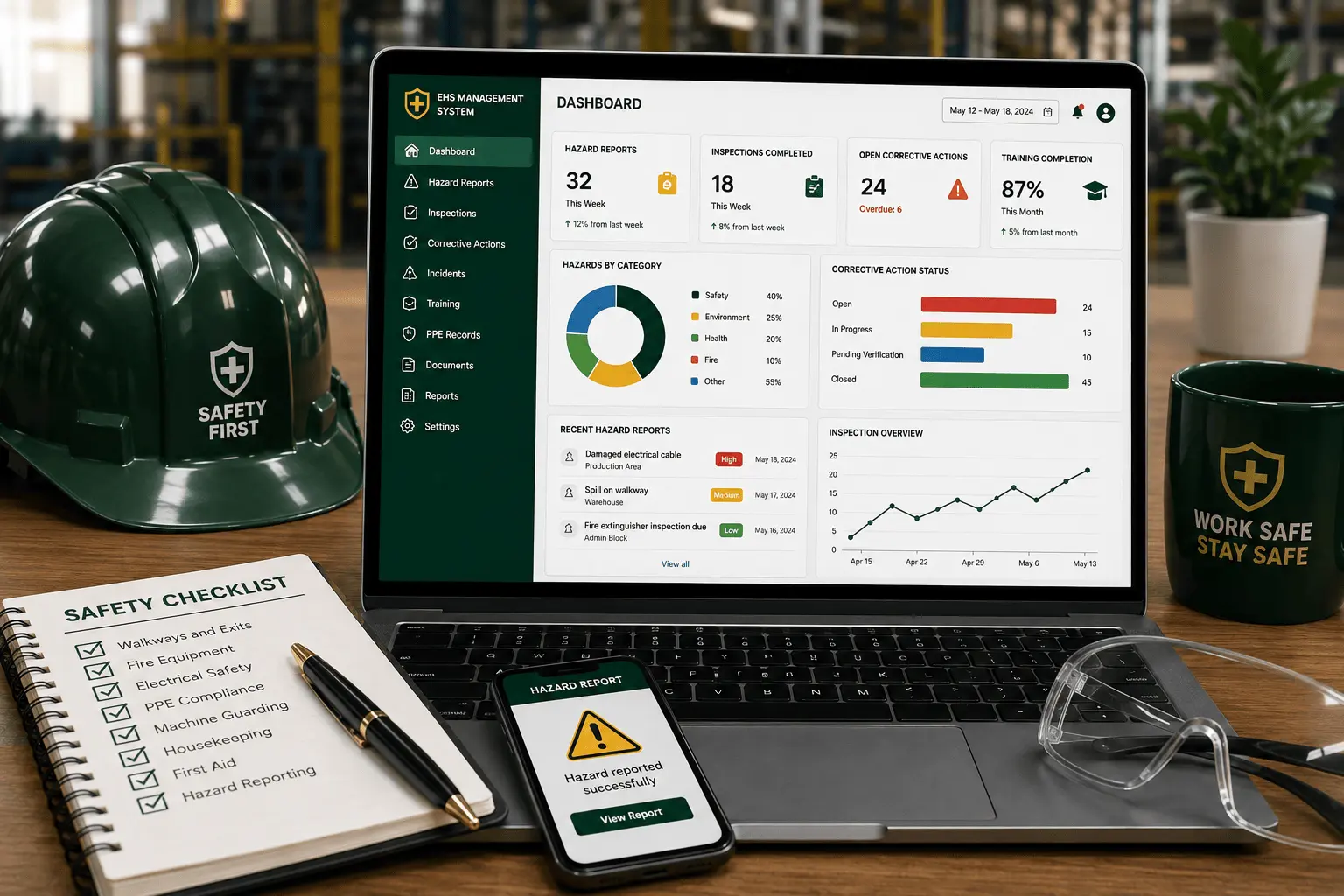
A safety dashboard can show:
- Number of hazards reported
- Open corrective actions
- Overdue actions
- Inspection completion rate
- Incident and near-miss trends
- Training completion status
- Fire equipment inspection status
- PPE compliance observations
- High-risk departments
- Repeated hazard categories
This helps the workplace identify patterns.
For example, if most hazards are coming from one department, that area may need more supervision, training, or process improvement.
If corrective actions are often overdue, management may need to improve accountability.
If near-miss reporting is very low, workers may not understand the reporting process or may fear blame.
OSHA's program evaluation and improvement guidance notes that program evaluation can include tracking progress in controlling identified hazards and ensuring that hazard controls remain effective.
Dashboards can support this by showing whether safety actions are moving forward.
However, dashboards should be used carefully.
A dashboard should not only look good.
It should help people make better decisions.
The best dashboard is one that answers practical questions and supports action.
08. Digital Tools and Workplace Communication
Workplace safety depends on communication.
Hazards must be reported. Instructions must be understood. Corrective actions must be assigned. Workers must know what is expected. Management must know what needs attention.
Digital tools can improve this communication. For example:
- A hazard report can notify the responsible person.
- A corrective action tracker can show overdue items.
- A digital checklist can send inspection results to management.
- A training calendar can remind supervisors about upcoming sessions.
- A shared folder can keep safety documents accessible.
- A dashboard can summarize key safety issues.
This reduces confusion.
It also reduces overdependence on one person's memory.
When safety information is visible, it becomes easier for teams to act.
But communication should remain clear.
A workplace should avoid creating too many tools that confuse workers.
The goal is not to have many platforms.
The goal is to have a clear system that people can actually use.
09. Why Digital Tools Do Not Replace Real Safety Work
Digital tools are useful, but they do not replace real safety work.
A hazard report does not remove a hazard.
An inspection checklist does not correct an unsafe condition.
A dashboard does not train workers.
A reminder does not replace supervision.
A safety system only works when people use it to take action.
This is important because some organizations focus too much on the tool and forget the safety practice behind it.
A workplace may invest in a digital system but still fail if workers do not report hazards, supervisors do not follow up, management does not support actions, and corrective actions are not verified.
Digital tools should support safety principles such as:
- Observation
- Reporting
- Participation
- Risk control
- Training
- Accountability
- Follow-up
- Continuous improvement
They should not replace them.
The best digital safety system is practical.
It should make safety work easier, not more complicated.
10. Practical Digital Tools Businesses Can Start With
A business does not need to begin with an expensive or complex EHS platform.
It can start small.
Simple tools can still improve safety management when used consistently. Examples include:
- Google Forms or Microsoft Forms — used for hazard reporting, incident reporting, near-miss reporting, or inspection submissions, allowing quick data collection.
- Google Sheets or Excel — used for corrective action tracking, training records, PPE issue records, and inspection follow-up. A well-structured spreadsheet can be very effective for small businesses.
- Shared cloud folders — store safety policies, inspection reports, training records, emergency procedures, fire drill reports, and certificates, reducing the risk of losing documents.
- Calendar reminders — track fire extinguisher servicing, training refreshers, equipment inspections, first aid kit checks, and audit dates.
- Canva — helps create safety awareness posters, toolbox talk visuals, training slides, and branded communication materials.
- Simple dashboards — created using spreadsheets, Looker Studio, Power BI, or other reporting tools to summarize hazards, inspections, and action status.
- Website pages — a business website can explain its safety services, publish safety insights, share compliance information, or make inquiry forms available.
The tool depends on the size, needs, and capacity of the business.
The most important thing is not the complexity of the tool.
It is whether the tool helps the business act better.
If your business needs a website that supports this kind of safety communication, that falls under Web Design & Development through Kipeo.com.
11. Common Mistakes When Digitizing Safety Systems
Digital safety systems can fail when they are poorly planned. Some common mistakes include:
- Making the system too complicated — if the system is difficult to use, workers may avoid it. A hazard report form should be simple enough for workers to complete quickly.
- Collecting too much information — not every form needs many fields. Too many questions can discourage reporting.
- Focusing on records but not follow-up — a system that stores hazards without tracking corrective actions is incomplete.
- Ignoring mobile use — many workers and supervisors may use phones more than computers, so digital safety tools should work well on mobile where possible.
- Not training users — if people do not know how to report hazards digitally, they will not use the tool effectively.
- Poor ownership — every system needs someone to review reports, assign actions, monitor deadlines, and verify closure.
- No review of data — collecting data is not enough; the workplace should review trends and use the information to improve safety.
12. How to Build a Simple Digital Safety Workflow
A simple digital safety workflow does not need to be complicated. It can follow this structure:
- Step 1: Report — workers or supervisors report hazards, near misses, incidents, or inspection findings using a simple form capturing location, description, risk level, and photo evidence where possible.
- Step 2: Review — the safety person, supervisor, or responsible manager reviews the report and decides what action is needed.
- Step 3: Assign — the corrective action is assigned to a responsible person or department, and a deadline is set.
- Step 4: Act — the responsible person completes the action; evidence may be attached, such as a photo, document, or completion note.
- Step 5: Verify — the safety person or supervisor checks whether the action was completed properly. If the risk is still present, the action remains open.
- Step 6: Close — the action is closed only after verification, and the record is kept for future reference.
- Step 7: Review Trends — the workplace reviews repeated hazards, overdue actions, high-risk areas, and common failures to support continuous improvement.
This workflow can be done with simple tools.
For example, a Google Form can collect reports. A spreadsheet can track actions. A dashboard can summarize open and closed items. Calendar reminders can support follow-up.
The system does not need to be perfect at the beginning.
It needs to be clear, usable, and consistent.
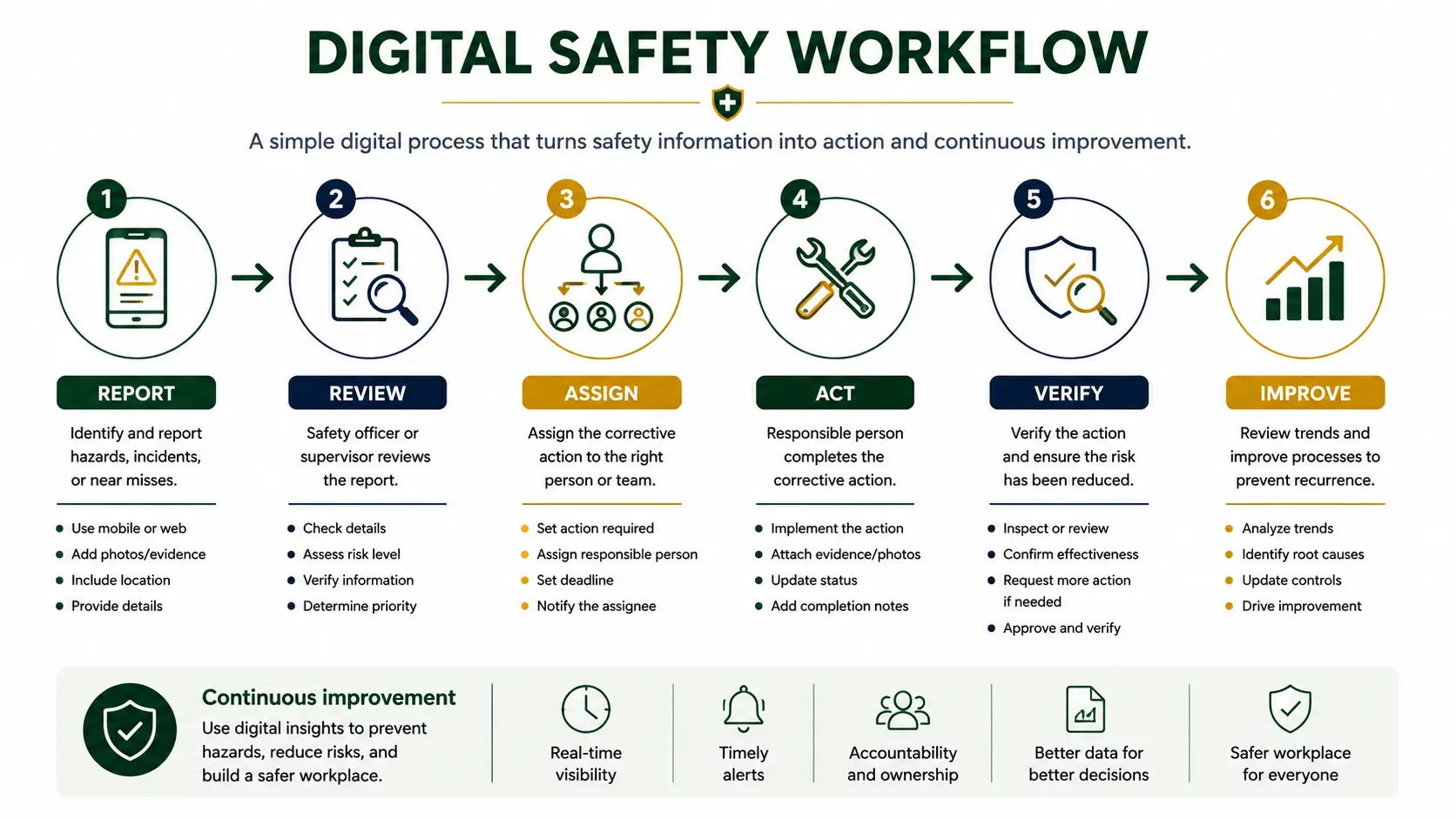
Turning this seven-step workflow into something automatic, rather than manually chased, is the kind of workflow automation the Safety Management System project is being built around.
13. Key Takeaway
Digital tools can improve workplace safety management when they support real action.
They help workplaces organize hazard reports, inspections, corrective actions, training records, safety documents, dashboards, and follow-up processes.
But digital tools are not the solution on their own.
The real solution is a clear safety process supported by people, systems, and consistent action.
A safer workplace is built when information is not only collected, but used.
The best approach is simple:
Report. Review. Assign. Act. Verify. Improve.
Better records lead to better follow-up.
Better follow-up leads to safer workplaces.
If your organisation wants help designing a digital safety workflow that fits how your team actually works, get in touch through my contact page.
References and Further Reading
- OSHA: Recommended Practices for Safety and Health Programs.
- OSHA: Hazard Identification and Assessment.
- OSHA: Hazard Prevention and Control.
- OSHA: Education and Training.
- OSHA: Program Evaluation and Improvement.