How Digital Safety Management Systems Help Businesses Track Hazards, Incidents and Corrective Actions
Managing workplace safety involves more than conducting occasional inspections, providing personal protective equipment or keeping files for compliance purposes.
Organizations must continuously identify hazards, record incidents, assign corrective actions, monitor progress and ensure that important safety issues are resolved.
However, many businesses still manage these activities using paper forms, scattered spreadsheets, emails and informal communication. This can make it difficult to know which hazards have been reported, who is responsible for addressing them and whether corrective actions have been completed.
Digital safety management systems provide a more structured approach.
They help organizations collect safety information, store records, assign responsibilities, track deadlines and generate reports from one organized platform. Instead of treating safety as a collection of disconnected documents, a digital system turns it into a continuous process that can be monitored and improved.
This article explains how digital safety management systems can help businesses manage hazards, incidents and corrective actions more effectively.
What Is a Digital Safety Management System?
A digital safety management system is a technology-based platform used to organize and manage workplace safety information.
Depending on an organization’s needs, the system may be a simple online form connected to a spreadsheet, a customized dashboard or a more advanced safety management platform.
It can help a business manage activities such as:
- Workplace inspections
- Hazard and near-miss reporting
- Incident investigations
- Corrective and preventive actions
- Risk assessments
- Employee safety training
- Equipment inspection records
- Safety meeting records
- Compliance reminders
- Audit findings
- Emergency preparedness activities
- Management reporting
The purpose of the system is not to make safety management more complicated. It should make safety information easier to submit, access, understand and act upon.
A good digital safety system should support the people using it rather than creating unnecessary administrative work.
Why Traditional Safety Record-Keeping Can Become Ineffective
Paper records and spreadsheets can still be useful, especially in small workplaces. However, problems arise when safety information is stored in multiple locations without a clear process for reviewing and following it up.
For example, an employee may report a damaged electrical socket to a supervisor. The supervisor may write it in a notebook or share it in a messaging group. Maintenance may be informed verbally, but no one records who is responsible for the repair or when it should be completed.
After several days, the issue may remain unresolved.
The problem is not necessarily that the hazard was ignored intentionally. The organization may simply lack a reliable system for tracking the report from identification to closure.
Common challenges with manual safety management include:
- Lost or damaged documents
- Incomplete incident records
- Delayed communication
- Repeated entry of the same information
- Difficulty assigning responsibility
- Missed corrective-action deadlines
- Limited visibility for management
- Difficulty producing reports
- Inconsistent inspection formats
- Poor follow-up on audit recommendations
- Safety information remaining in individual departments
When information is scattered, it becomes difficult for an organization to understand its overall safety performance.
How Digital Systems Improve Hazard Reporting
Hazard reporting is one of the most important parts of workplace safety.
Workers are often the first people to notice unsafe conditions, damaged equipment, blocked exits, poor housekeeping or unsafe work practices. However, hazards can only be controlled when they are reported and acted upon.
A digital hazard-reporting form allows employees to submit information using a computer, tablet or mobile phone.
The form may request details such as:
- Date and time of observation
- Workplace location
- Description of the hazard
- Type of hazard
- People potentially exposed
- Immediate action taken
- Recommended control measures
- Supporting photograph
- Name of the person reporting
- Level of urgency
Once submitted, the report can be recorded automatically in a central database or dashboard.
The responsible person can then receive a notification and begin addressing the issue.
This creates a clear record showing when the hazard was reported, what action was recommended, who was assigned the task and whether the issue has been resolved.
Making Hazard Reporting Easier
Employees are more likely to report hazards when the process is simple and accessible.
A complicated form with too many questions may discourage reporting. The system should collect enough information to support action without creating unnecessary barriers.
Organizations can also allow confidential or anonymous reporting where appropriate. This may help employees report concerns they would otherwise hesitate to raise.
However, a reporting system alone is not enough. Management must respond consistently to reports. When workers see that their concerns lead to real improvements, they are more likely to continue participating in workplace safety.
Managing Workplace Incidents Digitally
Workplace incidents must be recorded accurately so that an organization can understand what happened, identify contributing factors and prevent a similar event from happening again.
A digital incident-reporting system can guide the person completing the report through a consistent process.
The system may capture:
- Date, time and location of the incident
- People involved
- Description of what happened
- Injury or damage sustained
- Equipment involved
- Witness information
- Immediate response taken
- Contributing conditions
- Evidence and photographs
- Investigation findings
- Recommended corrective actions
Using a standardized form reduces the risk of important information being omitted.
Digital systems can also separate different types of events, including:
- Injuries
- Near misses
- Property damage
- Equipment failure
- Fire-related incidents
- Environmental incidents
- Unsafe conditions
- Occupational health concerns
Categorizing incidents helps management identify recurring patterns.
For example, several reports involving slips in the same area may indicate poor drainage, unsuitable flooring, inadequate housekeeping or insufficient warning signs. Without a centralized system, the individual reports may appear unrelated.
Why Near-Miss Reporting Matters
A near miss is an event that could have caused injury, illness or damage but did not.
For example, an object may fall from a shelf without striking anyone, or a worker may almost slip on a wet floor but regain balance.
Because no injury occurred, near misses are sometimes ignored. However, they can provide an early warning of conditions that may later cause a serious incident.
A digital system makes it easier to record near misses and analyze them alongside actual incidents.
The objective should not be to blame the person involved. It should be to understand what allowed the event to happen and what controls can prevent it from happening again.
Encouraging near-miss reporting can help an organization identify weaknesses before they result in injuries or losses.
Tracking Corrective Actions from Assignment to Closure
Corrective actions are measures taken to eliminate a problem or prevent it from recurring.
They may result from:
- Workplace inspections
- Safety audits
- Incident investigations
- Risk assessments
- Employee reports
- Regulatory inspections
- Emergency drills
- Equipment inspections
- Management reviews
One of the biggest weaknesses in safety management is failing to follow up on corrective actions.
A workplace may conduct a detailed audit and receive useful recommendations. However, the recommendations provide limited value when no one is assigned to implement them or monitor their completion.
A digital corrective-action tracker can record:
- The issue identified
- The recommended action
- The responsible person
- The department involved
- The level of priority
- The completion deadline
- Supporting evidence
- Current status
- Verification details
- Date of closure
Actions can be classified as open, in progress, overdue or completed.
This gives management a clear view of outstanding issues and helps prevent important recommendations from being forgotten.
Corrective Actions Should Be Verified
Marking an action as complete does not always mean the risk has been controlled effectively.
For example, if an inspection identifies a damaged machine guard, the action should not be closed simply because maintenance was contacted. Someone should verify that the correct guard was installed, that the machine is safe to operate and that the repair addressed the original hazard.
A digital system can require supporting evidence, such as photographs, inspection notes, repair records or approval from a responsible safety officer before an action is closed.
This improves accountability and helps ensure that corrective actions produce real safety improvements.
Supporting Workplace Inspections
Regular workplace inspections help organizations identify unsafe conditions before incidents occur.
Digital inspection checklists can be customized for different areas and activities, including:
- Offices
- Retail stores
- Warehouses
- Construction sites
- Workshops
- Schools
- Hospitals
- Manufacturing facilities
- Kitchens
- Plant rooms
- Fire-safety equipment
- Electrical installations
Inspectors can complete the checklist using a mobile phone or tablet and attach photographs directly to each observation.
When a non-conformity is identified, the system can create a corrective action immediately rather than waiting for a separate report to be prepared.
This shortens the time between identifying a hazard and beginning corrective action.
Digital inspections also make it easier to compare results over time. Management can determine whether certain hazards continue to appear, whether inspection scores are improving and which departments require additional support.
Organizing Safety Training Records
Employee training is an important part of safety management, but records are often stored in separate files or spreadsheets.
A digital training register can help an organization track:
- Employee name
- Department and job role
- Training attended
- Date of training
- Training provider
- Assessment results
- Certificate information
- Expiry or renewal date
- Upcoming training requirements
Automatic reminders can notify responsible personnel when training or certification is approaching its renewal date.
This is especially useful for roles that require periodic refresher training or competency verification.
Organized training records also help management identify gaps. For example, the system can show which employees have not completed induction, fire-safety training, first-aid training or task-specific instruction.
Improving Risk-Assessment Management
Risk assessments should be reviewed when work processes, equipment, substances or workplace conditions change.
A digital risk register provides a central place for recording:
- Identified hazards
- People exposed
- Existing control measures
- Likelihood and severity ratings
- Overall risk level
- Additional controls required
- Responsible persons
- Review dates
- Current status
When a control measure is introduced, the risk rating can be reviewed and updated.
This creates a clear history of how the organization has assessed and managed a particular risk.
Digital risk registers can also help organizations prioritize resources. High-risk issues can be highlighted for urgent action, while lower-risk matters can be managed through routine improvement plans.
Using Dashboards to Support Better Decisions
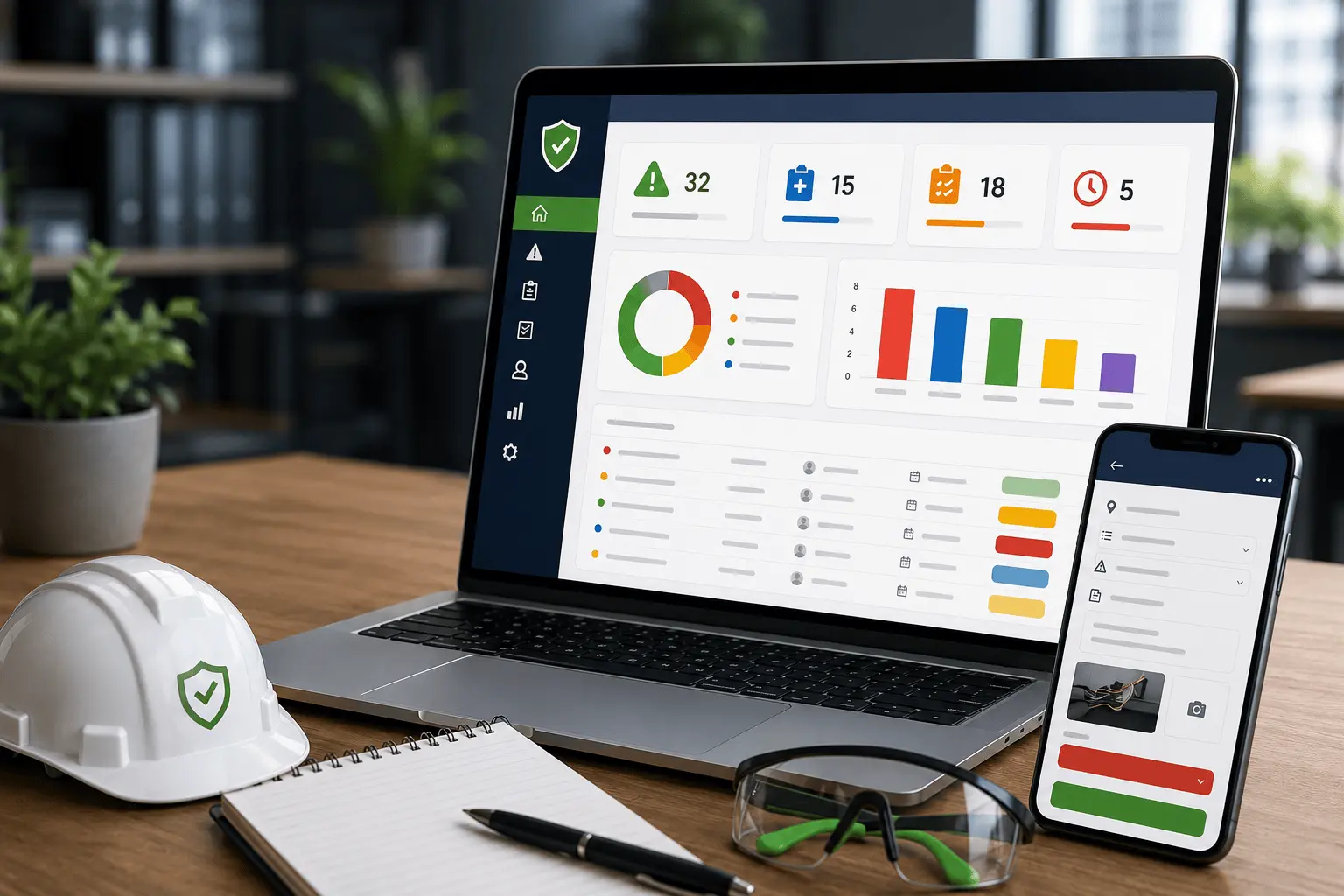
A safety dashboard presents important information in a clear and visual format.
Instead of reading through multiple documents, management can quickly view key indicators such as:
- Number of hazards reported
- Open corrective actions
- Overdue actions
- Incidents recorded
- Near misses reported
- Inspections completed
- Recurring hazard categories
- Departments with outstanding actions
- Training due for renewal
- Trends over time
Dashboards help turn safety records into useful information.
For example, an increase in reported hazards does not always mean the workplace has become less safe. It may show that employees are becoming more confident in reporting concerns.
The information must therefore be interpreted carefully and considered alongside other indicators.
The purpose of a dashboard is not simply to display attractive charts. It should help managers identify priorities, ask better questions and make informed decisions.
Benefits of Digital Safety Management Systems
When implemented properly, a digital safety system can provide several benefits.
1. Faster Reporting
Employees can report hazards and incidents without waiting for paper forms or access to a particular office.
2. Improved Record Accuracy
Standardized forms help ensure that important information is collected consistently.
3. Better Accountability
Each corrective action can be assigned to a specific person with a clear deadline.
4. Easier Follow-Up
Open and overdue issues can be identified quickly.
5. Centralized Information
Safety records can be stored in one organized location instead of being scattered across departments.
6. Better Communication
Notifications and reminders can help responsible people respond to issues promptly.
7. Improved Management Visibility
Dashboards and reports make it easier to understand safety performance across the organization.
8. Stronger Continuous Improvement
Trend analysis helps organizations identify recurring problems and evaluate whether control measures are working.
9. Reduced Administrative Work
Automated reports and reminders can reduce repetitive manual tasks.
10. Easier Access to Records
Authorized personnel can retrieve inspection, incident, training and corrective-action information when needed.
Common Mistakes to Avoid
Introducing a digital system does not automatically improve safety. The system must be planned and managed carefully.
Choosing Technology Before Understanding the Problem
A business should first identify its safety-management challenges.
Is the main problem poor hazard reporting, incomplete incident investigations, scattered records or weak corrective-action follow-up?
The solution should be designed around the actual problem.
Making the System Too Complicated
A system with unnecessary fields, confusing menus and complex approval stages may discourage employees from using it.
The most effective system is often the one people can understand and use consistently.
Failing to Train Employees
Workers and supervisors need to know how to submit reports, respond to assigned actions and use the information responsibly.
Ignoring Data Protection
Safety reports may contain personal, medical or confidential business information. Access should be controlled so that users only view information relevant to their responsibilities.
Collecting Data Without Taking Action
A business may collect hundreds of reports but achieve little improvement when the information is not reviewed.
Every report should enter a clear process for assessment, response, follow-up and closure.
Using the System to Blame Employees
Employees will stop reporting hazards and near misses when they believe the information will be used unfairly against them.
A reporting system should support learning, accountability and prevention rather than creating fear.
Treating the System as a Replacement for Leadership
Technology cannot replace management commitment, employee participation, workplace inspections or practical risk controls.
The system is a tool that supports safety management. It is not the entire safety-management process.
Does Every Business Need an Expensive Platform?
No.
A small organization may not need a complicated enterprise safety platform.
It may begin with:
- Mobile-friendly reporting forms
- A central safety spreadsheet
- Automated email notifications
- A simple corrective-action register
- Cloud-based document storage
- A basic management dashboard
- Scheduled compliance reminders
As the organization grows, the system can be expanded to include more departments, advanced analytics, mobile access, user permissions and integration with other business tools.
The most important consideration is whether the solution addresses the organization’s needs and can be maintained effectively.
A simple system that employees use consistently is more valuable than an expensive platform that remains unused.
Steps for Introducing a Digital Safety Management System
Organizations can follow a gradual implementation process.
Step 1: Review the Current Process
Identify how hazards, incidents, inspections and corrective actions are currently recorded.
Determine what is working and where information is being lost or delayed.
Step 2: Identify the Most Important Problem
Start with one clear area, such as hazard reporting or corrective-action tracking.
Trying to digitize every safety activity at once may create confusion.
Step 3: Involve the People Who Will Use the System
Employees, supervisors, safety representatives and managers should provide input.
Their experience can help ensure that forms and workflows reflect real workplace conditions.
Step 4: Design a Simple Workflow
Define what happens after a report is submitted.
For example:
- An employee reports a hazard.
- The supervisor receives a notification.
- The hazard is assessed and prioritized.
- A corrective action is assigned.
- Progress is monitored.
- The completed action is verified.
- The report is closed.
Step 5: Control Access
Decide who can submit, view, edit, approve and close records.
Sensitive information should only be available to authorized users.
Step 6: Test the System
Begin with a small department, site or group of employees.
Collect feedback and correct problems before expanding the system.
Step 7: Train Users
Explain not only how to use the system but also why reporting and follow-up are important.
Step 8: Review Performance
Monitor whether the system is improving reporting, reducing delays and helping actions reach completion.
The system should be adjusted as the organization’s needs change.
The Role of Management
Management support determines whether a digital safety system becomes useful or turns into another unused platform.
Leaders should:
- Encourage honest reporting
- Review safety information regularly
- Provide resources for corrective actions
- Hold responsible persons accountable
- Recognize employee participation
- Protect confidential information
- Use reports to guide decisions
- Communicate improvements back to employees
When employees submit reports but receive no response, confidence in the system declines.
Management should therefore close the communication loop by showing what action was taken and why.
Combining Safety Knowledge with Digital Solutions
A successful digital safety system requires more than technical development.
The person designing it must understand how workplace hazards are reported, how risk assessments are conducted, how incident investigations work and how corrective actions should be verified.
At the same time, the system must be user-friendly, secure and suitable for the organization’s operations.
This is why safety knowledge and digital skills work well together.
The objective is not merely to convert paper forms into online forms. It is to improve the complete safety-management process.
A well-designed system should help the organization:
- Identify risks earlier
- Respond to incidents faster
- Assign responsibilities clearly
- Monitor outstanding actions
- Maintain organized records
- Understand safety trends
- Make better decisions
- Support continuous improvement
Final Thoughts
Workplace safety depends on consistent reporting, communication, action and follow-up.
When safety information is stored in notebooks, individual spreadsheets, emails and messaging groups, important issues can easily be missed.
Digital safety management systems help bring this information together.
They allow businesses to record hazards, manage incidents, assign corrective actions, monitor deadlines and produce useful reports from a structured platform.
However, technology should remain practical.
The best system is not necessarily the most expensive or complicated. It is the one that people can use easily, management can support consistently and the organization can rely on to improve workplace safety.
Digital tools cannot replace strong safety leadership, competent employees or effective risk controls. They can, however, make these activities easier to organize, monitor and improve.
For modern businesses, combining occupational safety knowledge with appropriate digital solutions can create safer, smarter and more accountable workplaces.
Ready to Improve Your Workplace Safety Systems?
Are your safety inspections, incident reports and corrective actions stored across paper files, spreadsheets and messaging groups?
I help organizations explore practical safety and digital solutions that improve reporting, documentation, follow-up and operational efficiency.
Whether you need occupational safety support, a digital reporting system, workflow automation or a customized dashboard, the solution should be designed around the way your organization operates.
Contact me to discuss a practical system for your workplace.
Frequently Asked Questions
What is a digital safety management system?
A digital safety management system is a platform used to record, organize and track workplace safety activities such as hazard reports, inspections, incidents, training records and corrective actions.
Can small businesses use digital safety systems?
Yes. Small businesses can begin with simple tools such as online reporting forms, spreadsheets, automated notifications and basic dashboards. The system can be expanded as the organization grows.
Does a digital system replace workplace inspections?
No. Digital tools help record and manage inspection findings, but competent people must still inspect the workplace, assess risks and confirm that controls are effective.
What information should a hazard-reporting form collect?
It should collect the hazard location, description, people potentially affected, immediate action taken, recommended controls, level of urgency and supporting photographs where available.
How do digital systems improve corrective-action tracking?
They assign each action to a responsible person, set a deadline, monitor its status and maintain evidence showing whether the action was completed and verified.
Are digital safety records secure?
They can be secure when the organization applies appropriate access controls, passwords, backups and data-protection measures. Sensitive information should only be accessible to authorized users.
What should a workplace safety dashboard display?
A useful dashboard may show reported hazards, incidents, near misses, open actions, overdue actions, completed inspections, recurring risks and upcoming training requirements.